
How to Reset the 'Change Filter' Reminder on Your Thermostat
November 19, 2026
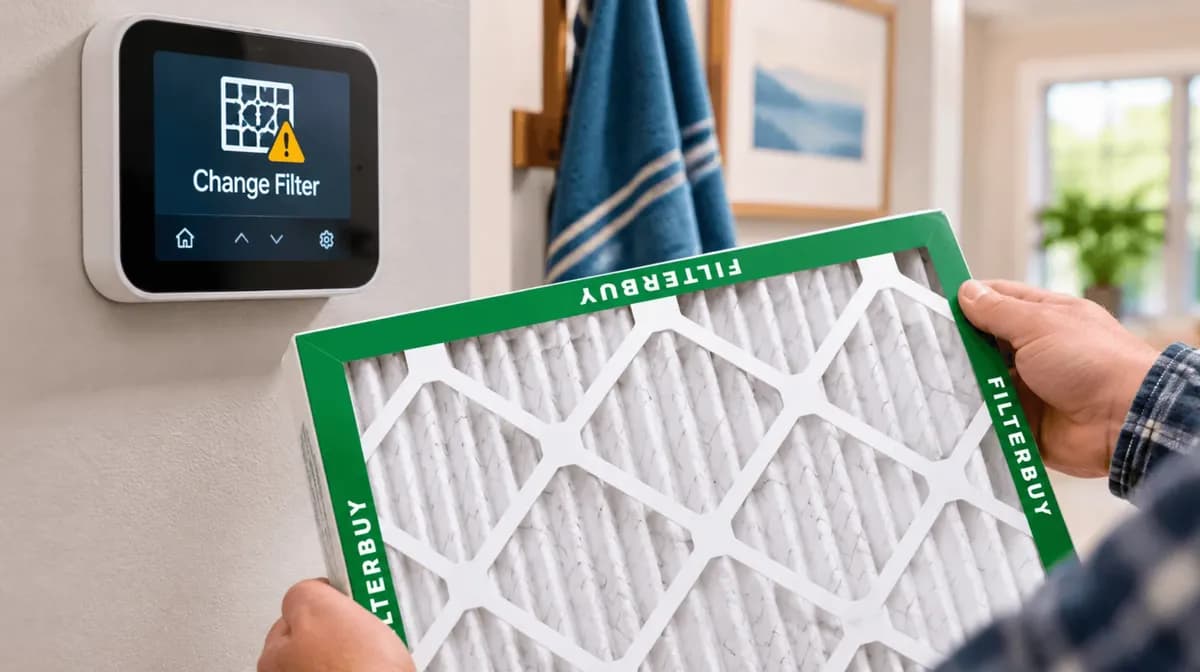
Install your new filter first. Then open your thermostat’s alert or reminder menu and choose Clear, Dismiss, or Reset. Skip Snooze. It only hides the message for a few days.
The menu name depends on your brand and model. Find yours below, and check the reminder interval while you’re in there.
Want a filter that fits your system and your schedule? Take the quick quiz below.
Reviewed by David Clark, licensed HVAC technician
The 4-step reset
Clear it, don’t snooze it. That’s what makes the message stay gone.
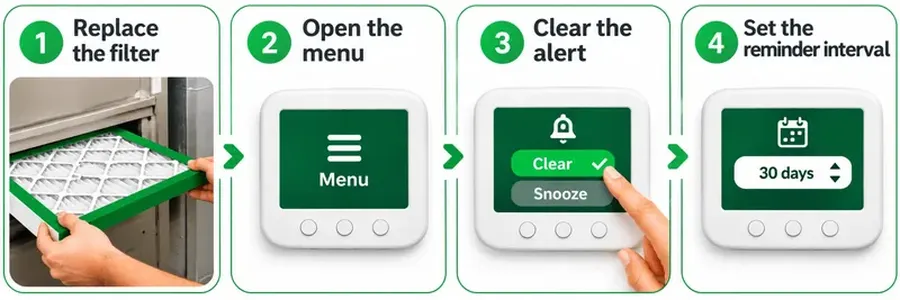
STEP 1 · SWAP
Install the new filter
Turn the system off. Point the airflow arrow toward the blower.
STEP 2 · FIND
Open the alert menu
Look under Menu, Alerts, Reminders, or Preferences. Or tap the warning icon.
STEP 3 · CLEAR
Clear, Dismiss, or Reset
Snooze = comes back later
STEP 4 · CHECK
Confirm the interval
That number decides when your thermostat reminds you next.
Where to clear it on your thermostat
Honeywell T6 Pro
Menu › ALRT (shows REPL). Choose CLER. SNZE only snoozes it for 7 days.
Honeywell FocusPRO (e.g., N100)
On “Replace Filter,” hold the upper-left and lower-right buttons for 5 seconds.
Honeywell T10 & color touchscreens
Menu › Preferences › Air Filter reminder › Reset Timer. Then acknowledge it under Notifications.
Older Honeywell (VisionPRO TH8320WF)
On the “Change Filter” message, press Reset.
ecobee
Main Menu › Reminders & Alerts › Reminder Preferences › Furnace Filter. Update the last change date.
Google Nest (Nest Thermostat, Learning 4th gen)
Google Home app › Settings › Notifications › Air filter reminder. Tap this month under “Last changed.”
Nest 3rd gen or earlier, Nest E
Nest app › Settings › Equipment, or thermostat Settings › Reminders. Choose Remind Me and enter the month.
Similar models can use different steps, so confirm your model first. Filterbuy is not affiliated with Honeywell Home, Resideo, ecobee, or Google.
What interval to set
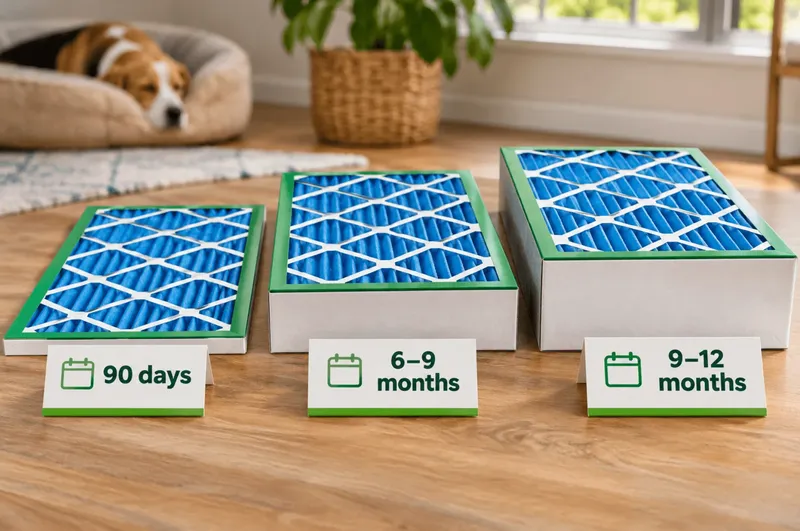
90 days
1-inch MERV 8, no pets
60–90 days
1-inch MERV 11 or 13 (check at 30)
60 days
1–2 inch, busy household
30 days
1-inch, shedding pets
6–9 months
4-inch filter
9–12 months
5-inch filter
Make your next reminder an easy one
Answer a few quick questions and we’ll match you to the right filter for your home.
Alert still showing after a reset? It may be a separate UV bulb reminder, which a filter reset won’t clear.
Just need the filter? Pick from 600+ sizes or order a custom size. Filters are American-made and ship free in the U.S. Add Auto Delivery to get the next one every 1, 2, 3, 6, or 12 months and save 5%.
TL;DR
To reset a thermostat's "change filter" reminder, put in a fresh air filter, then clear the alert from the thermostat's menu or app, usually under Reminders, Alerts, or Preferences. Clearing it restarts the countdown. After more than a decade of building air filters, Filterbuy has found that the interval matters more than the reset, so match it to your filter's thickness, MERV rating (how fine a particle it catches), pets, and season.
Key Takeaways
Change the filter before you clear the reminder.
Google Nest times filter reminders by how long your system runs, and its Filter Reminders are off by default.
ecobee keeps the furnace filter reminder under Reminders & Alerts.
A 90-day reminder suits a 1-inch pleated filter in most homes. With shedding pets, drop it to 30 days.
Turn the reminder off only if something replaces it, such as Filterbuy Auto Delivery.
How Do You Reset the Filter Reminder on a Thermostat?
Resetting a thermostat filter reminder, or the "change filter" light on older models, works about the same way on most brands. Install a new filter, open the reminder or alert menu, and clear the alert.
Replace the filter first. Turn the system off, then slide in the new filter, arrow toward the blower.
Find the alert. Look under Menu, Alerts, Reminders, or Preferences, or tap the warning icon.
Choose Clear, Dismiss, or Reset. Skip Snooze, which only hides the message for a few days.
Check the interval while you're in the menu. That number decides when your thermostat reminds you next.
Filterbuy's take: We treat the reminder as the last step of a filter change, because the interval you leave behind decides when the next one happens.
How to Reset the Filter Reminder on Honeywell, Nest, and ecobee Thermostats
Honeywell Home, ecobee, and Google Nest each keep the filter reminder in a different spot: an alert menu or Preferences on Honeywell, Reminders & Alerts on ecobee, and the Google Home or Nest app on Nest. Find your model below.
Sources: Google, ecobee, Honeywell T6 Pro, FocusPRO, T10, and VisionPRO TH8320WF.
Honeywell Home tip: Similar models can use different steps, so confirm yours first.
Filterbuy isn't affiliated with or endorsed by Honeywell Home, Resideo, ecobee, or Google.
Why Does a Nest Thermostat Remind You on a Different Schedule?
Google Nest thermostats don't follow a fixed calendar for filter reminders. A Nest thermostat estimates when your filter needs changing from how long your system runs. According to Google, a mild summer can stretch the gap between reminders to months, while a cold winter brings them sooner.
Other thermostats use one of two styles:
Calendar-based reminders go off after a set number of days or months. The Honeywell Wi-Fi 9000, for example, lets you choose between 3 and 15 calendar months.
Runtime-based reminders count the time your system actually runs. ecobee thermostats let you pick either style.
Which should you choose? If filters arrive on a schedule, Filterbuy recommends a matching calendar reminder so the box and the alert show up together.
What Interval Should You Set on Your Thermostat Filter Reminder?
The right reminder interval depends on your filter's thickness, its MERV rating, and what's going on in your home. Filterbuy built the matcher below because a default setting can't account for your filter or your dog. Start with depth, then shorten for pets, allergies, or heavy use, using the same 90-, 60-, and 30-day starting points as Filterbuy's HVAC air filter replacement checklist.
Filterbuy's Reminder Interval Matcher
Check the fit. If you switch MERV ratings, check your HVAC manual to confirm the fit, just like confirming a size.
Adjust for the season. With a calendar reminder, shorten one step (say, 90 to 60 days) in peak cooling and heating months.
Use the 30-day check. Once a month, hold the filter up to a light. If light barely gets through the pleats, shorten your interval. A filter that still looks clean at reminder time can go a little longer. Unsure of your rating? See which MERV rating to use, then see Filterbuy's guides on how often to change your air filter and the best furnace filters for homes with pets.
"A filter reminder is only as helpful as the number behind it. Every time you clear the alert, take a few extra seconds to ask whether that interval still fits your home. A new puppy or a long, hot summer can change how quickly a filter fills up, and your reminder should change too."
Michelle Wan, Brand Manager & Air Quality Writer, Filterbuy
How Do Run-Time Days Convert to Calendar Months?
A run-time day counts 24 hours of actual system operation, so a "30-day" run-time reminder can take months to appear. Honeywell's VisionPRO setup guide estimates the conversion, and we've matched it to our targets:
Those estimates assume your system runs about a third of the time. In a heat wave it runs more and the reminder comes sooner, which is why Filterbuy keeps the monthly check as a backup.
Supporting Statistics
5–15% less air conditioner energy
Routinely replacing or cleaning filters cuts AC energy use by 5–15% (U.S. Department of Energy).
About 90% of time spent indoors
Americans spend roughly 90% of their time indoors (EPA).
Some indoor pollutants run 2 to 5 times higher than outdoors.
About 6 in 10 U.S. homes have a pet
Cat and dog allergies affect 10–20% of people worldwide.
Can You Turn Off the Filter Reminder on a Thermostat?
Yes, most thermostats let you turn off the filter reminder, but do it only when something else will take its place. On Google Nest, switch off "Get air filter reminders" in the Google Home app. On ecobee, turn off the Furnace Filter reminder, and on Honeywell Home, set the reminder to Off in Preferences or in installer setup, a protected menu your installer uses.
Changing the interval usually works better than switching the reminder off, since the filter keeps loading with dust either way.
Why Won't the "Change Filter" Message Go Away?
When a "change filter" message or light keeps coming back, the alert was usually snoozed, the app is out of sync, or a second filter reminder is active. Check these first:
The alert was snoozed. On the Honeywell T6 Pro, choose CLER instead of SNZE.
App out of sync. Update the "last changed" date in the app as well.
Two filter reminders. Some Honeywell Home thermostats track Air Filter 1 and Air Filter 2 separately.
A different alert. A humidifier pad or UV bulb reminder won't clear with a filter reset.
Skip the factory reset, which restores factory defaults. If the message still won't clear, call a licensed HVAC technician.
Make the Next Reminder an Easy One
Your thermostat can tell you when to change the filter, but you still need the right filter on hand. Since 2013, Filterbuy has cut, pleated, and framed its MERV 8, 11, and 13 filters to order in its own US plants, including custom sizes cut to the eighth of an inch. With Filterbuy Auto Delivery, new filters ship every 1, 2, 3, 6, or 12 months, so you can line deliveries up with your reminder and save 5% on each Auto Delivery order.
Pro tip from Filterbuy's manufacturing team: Check depth before you order. It's the dimension the team sees ordered wrong most often, and a 1-inch slot won't take a 4-inch filter. Learn how to measure your air filter.
Frequently Asked Questions
How Often Does Nest Say to Change the Air Filter?
Nest doesn't use a set number of months. Nest times reminders by how long your system runs, so turn on Filter Reminders in the app and let Nest track it.
How Many Months Should I Set My ecobee Air Filter Reminder?
For a 1-inch pleated filter, set 3 months in a typical home, 2 with allergies, and 1 with shedding pets. For 4- or 5-inch filters, try 6–12 months. ecobee suggests replacing a pleated filter about every three months.
What If I Changed My Filter Before the Reminder Went Off?
Reset it anyway, or the next alert will arrive too early.
How Do I Set a Filter Reminder on a Smart Thermostat for the First Time?
In the app or settings, turn on the air filter reminder, enter your last change date, and pick an interval from the matcher above.
Why Does My Thermostat Still Say Change Filter After I Changed It?
The alert was most likely snoozed instead of cleared, or the app still shows the old "last changed" date. Clear the alert from the thermostat menu, then update the date in the app.
Glossary
Filter reminder: A thermostat alert that prompts an air filter change.
Calendar-based reminder: A reminder that goes off after set days or months.
Runtime-based reminder: A reminder based on HVAC run time, used by Google Nest.
Snooze: Hides a reminder without restarting its countdown.
MERV (Minimum Efficiency Reporting Value): A 1–16 rating of how well a filter captures particles. Filterbuy makes MERV 8, 11, and 13.
Run-time day: 24 hours of actual HVAC operation.
Google Nest: Google's line of smart thermostats.
ecobee: A smart thermostat brand.
Honeywell Home: A thermostat brand made by Resideo.
Filterbuy Auto Delivery: Filterbuy's scheduled filter shipping service.